Did you know that May 5, 2022, is World Password Day? Created by cybersecurity professionals in 2013 and designated as the first Thursday every May, World Password Day is meant to foster good password habits that help keep our online lives secure. It might seem strange to have a day set aside to honour something almost no one wants to deal with—like having a holiday for filing your income taxes (actually, that might be a good idea). But in today’s world of online work, school, shopping, healthcare, and almost everything else, keeping our accounts secure is more important than ever. Passwords are not only hard to remember and keep track of, but they’re also one of the most common entry points for attackers. In fact, there are 921 password attacks every second—nearly doubling in frequency over the past 12 months.
Top Tips for World Password Day
If you look online, you’ll see lots of lists of tips to help you use passwords more securely. I’d like to save you all that looking…here’s RRU Cybersecurity’s Top Tips for World Password Day:
Use Passphrases
- Passphrases are a string of words and possibly numbers, special characters or spaces. E.g. “Barking up the wrong Tree”
- The longer the passphrase, the better. Aim for a minimum of 15 characters. Because passphrases tend to be longer and they are (or should be…) easier to remember, they’re much more secure.
- Want to know if you’ve chosen a passphrase the cybercriminals aren’t aware of? Try it out at: https://haveibeenpwned.com/Passwords
DO NOT Share Passphrases
- When you share passphrases, the person(s) you’re sharing with now becomes you. And, you have no control over how they secure the passphrase you’ve just given them.
- NEVER use your RRU passphrase anywhere except here at RRU. DO NOT use it when creating accounts, etc. external to RRU, even if they’re work-related. Why? When the company holding your RRU passphrase gets hacked, cybercriminals now have access to your nice, long, secure passphrase and they’ll use it in “password spraying attacks” Password spraying attacks have caused numerous breaches, including the CRA breach from a couple of years ago.
Use UNIQUE Passphrases
- Yes… one passphrase per site / account is what we’re recommending. If a service is breached and your password is exposed, cybercriminals may try it on another account.
- Use a Password Manager to help you get a handle on all of those passphrases.
Enable Multi-factor Authentication (MFA)
- Multi-factor authentication means you not only enter a passphrase, but you add in a second factor… usually a code or a biometric like a fingerprint scan… as “proof” that it’s really you trying to log in.
- Does it work? Microsoft reports that the use of MFA blocks 99.9% of account compromise attacks.
As long as we’re talking top tips, here’s our Top Password Myths
Passwords Need Complexity
- By complexity, I mean including upper / lower case numbers, special characters, etc. While perhaps true when this was first proposed in the early 2000’s, it is no longer the case. And, it makes your passphrase harder to remember.
- Adding “spring”, “fall”, the year or a number onto a current passphrase does NOT make it a new one. Current password cracking tools are not fooled by this.
I’ve Got a Word…
- We often hear someone say they’ve got a “special word” that is from some ancient dead language or another similar source that nobody will ever guess. Sorry, but if YOU know about it, someone else does too.
- Before you put all your trust in this “special word”, try it out at https://haveibeenpwned.com/Passwords You just may be surprised.
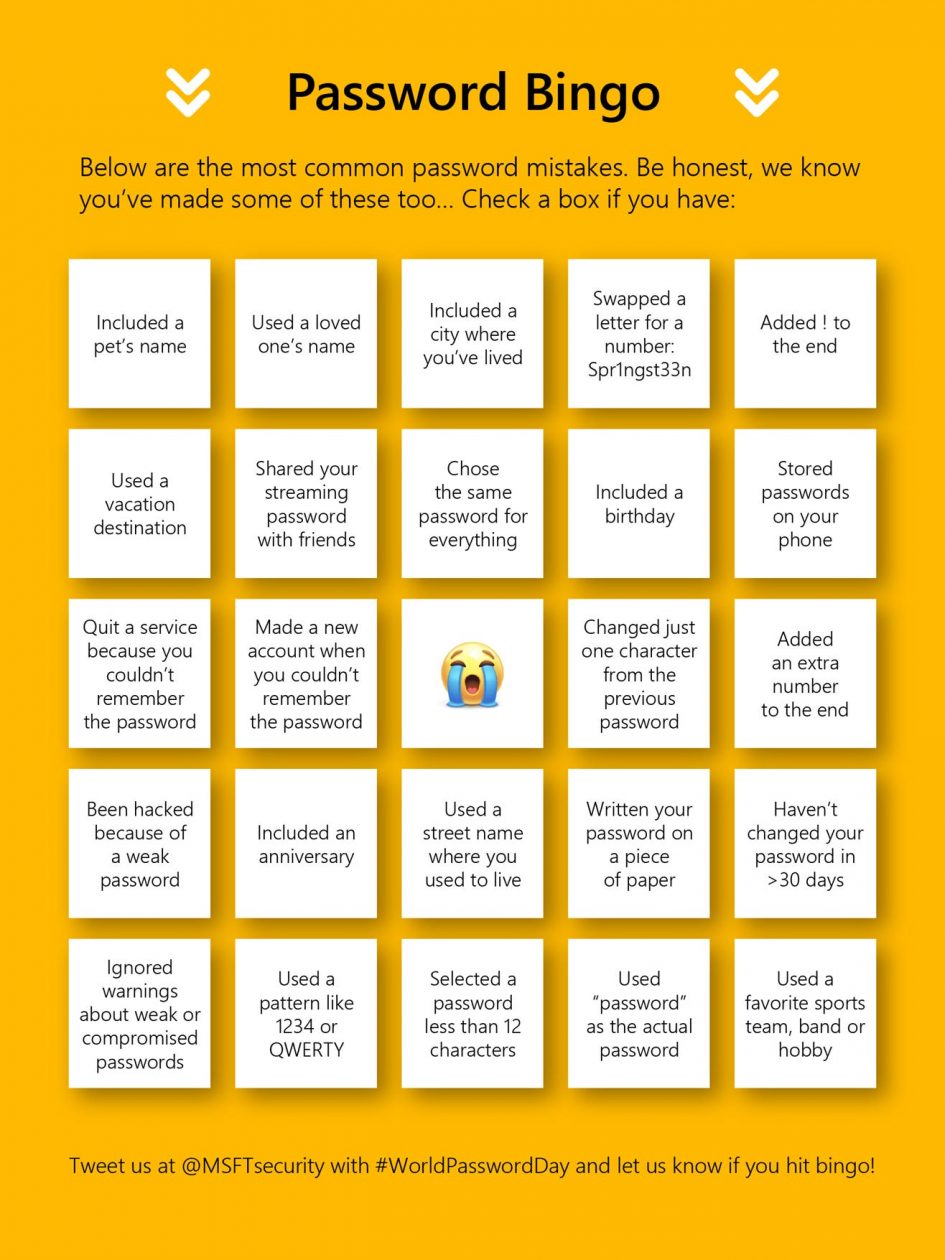
Finally, try playing Password Bingo (attached). It’s a great summary of good password hygiene practices.
As always, you’re free to share this information with friends and family. Got questions? Chat with a Cybersecurity Ambassador, or send an email to: SecurityAwareness@royalroads.ca
REMEMBER: STOP! THINK! CONNECT
Leave a Reply